
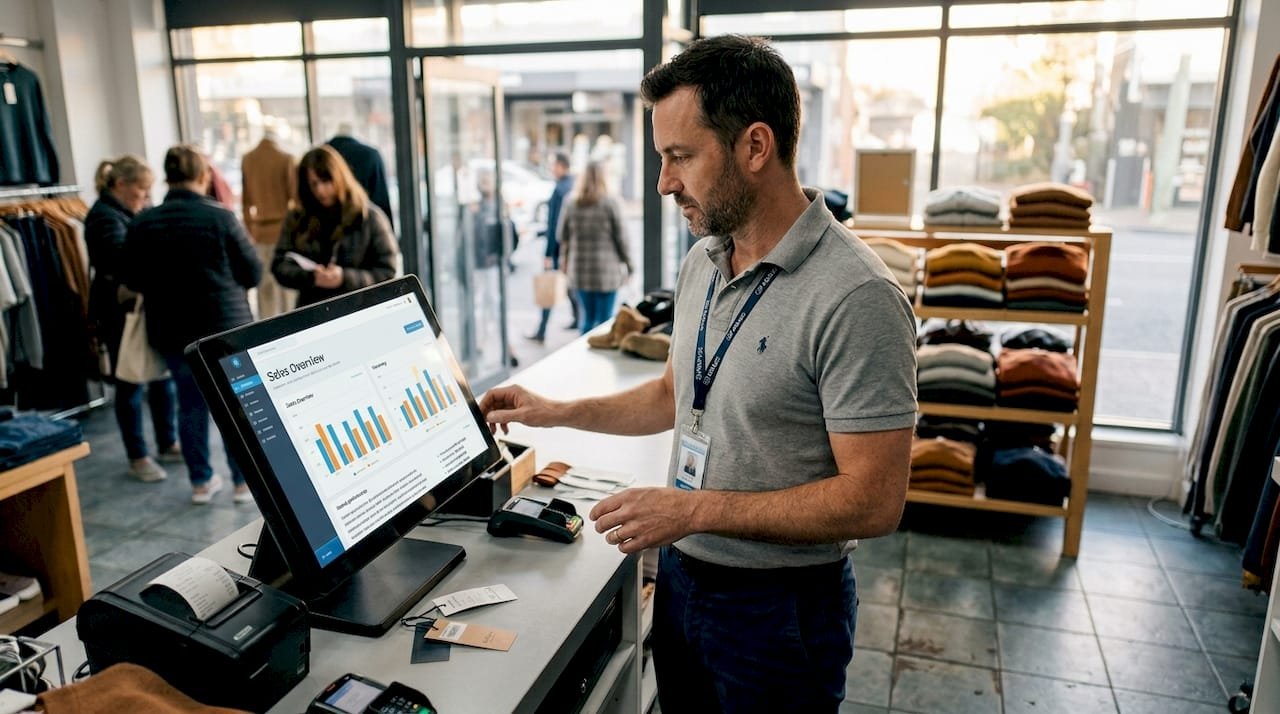
Getting your retail IT wrong is expensive. A mismatched POS system, poor integrations, or undertrained staff can quietly drain thousands from your bottom line each year. Australian retailers who invest in the right digital infrastructure see real, measurable gains: unified data platforms reduce costs and boost sales across omnichannel operations. This guide gives you a practical, step-by-step checklist to get your POS and digital strategy right in 2026, whether you run a single boutique or a growing multi-site operation.
Table of Contents
- Understand your business and IT needs
- Choose the right POS system: Cloud vs on-premises
- Budget for total cost and rollout timeline
- Integrate smartly: Boost sales and reduce errors
- Invest in ongoing training and regular audits
- Use data and AI for smarter forecasting
- Ready to upgrade your retail IT?
- Frequently asked questions
Key Takeaways
| Point | Details |
|---|---|
| Assess business needs | Customise POS and digital solutions to fit your sector, size, and workflow. |
| Prioritise total cost and ROI | Plan for all costs, not just upfront fees, to maximise long-term savings and efficiency. |
| Choose scalable, integrated systems | Opt for technology that grows with your business and unifies sales, inventory, and analytics. |
| Invest in ongoing training | Regular staff training and audits keep IT running smoothly and securely. |
| Leverage data and AI | Use real-time data and AI for smart stock management and better sales insights. |
Understand your business and IT needs
Before you spend a cent on technology, get crystal clear on what your business actually needs. Jumping straight to a product demo without this step is how retailers end up paying for features they never use, or worse, missing the ones they desperately need.
Assessing needs first and tailoring your system to your industry is a core implementation best practice. A fashion boutique has very different priorities to a grocery store or a quick-service café. Your IT decisions should reflect that reality.
Here is what to map out before you start comparing products:
- Sales channels: Are you selling in-store only, online, or both? Do you need a mobile POS for markets or pop-ups?
- Growth plans: Will you open more locations in the next two years? Your system needs to scale with you.
- Operational pain points: Where do errors happen most? Stocktakes, end-of-day reconciliation, or customer wait times?
- Essential integrations: Do you use Xero for accounting? Do you run an e-commerce store on Shopify or WooCommerce?
- Customer journey: How do your customers move from browsing to buying, and where does the experience break down?
Once you have answered these questions honestly, you will have a shortlist of non-negotiable features. That shortlist becomes your filter when comparing best POS systems in Australia.
Choose the right POS system: Cloud vs on-premises
With your goals mapped out, the next big decision is system architecture. This choice shapes your costs, flexibility, and long-term scalability more than almost any other factor.
Australia’s POS market is dominated by cloud and mobile solutions, but on-premises systems still suit regulated sectors where strict data control is required. Neither option is universally better. The right choice depends on your specific context.
| Feature | Cloud POS | On-premises POS |
|---|---|---|
| Upfront cost | Low | High |
| Monthly fees | $50–$200/month | Minimal after setup |
| Remote access | Yes | No |
| Software updates | Automatic | Manual |
| Data control | Provider-managed | Full in-house control |
| Offline capability | Varies | Strong |
| Scalability | Excellent | Limited |
Off-the-shelf cloud solutions suit smaller stores well. Custom POS development costs between AUD 70,000 and AUD 700,000 but delivers the integrations and scalability that growing retailers need. For most small to medium retailers, a quality cloud solution hits the sweet spot between cost and capability.
Key benefits of cloud POS worth noting:
- Automatic software updates mean you are always running the latest version
- Access your sales data remotely from any device
- Easier to add new registers or locations without major IT infrastructure
- Lower upfront hardware investment compared to traditional systems
Explore cloud POS solutions that are built for Australian retailers, or if you are based in Western Australia, check out POS options in Perth tailored to your local market.
Pro Tip: Always test your chosen system’s offline mode before committing. If your internet drops during a busy Saturday, you need to keep selling. Not all cloud POS systems handle this equally well.
Budget for total cost and rollout timeline
With a system type in mind, let us make sure the numbers add up and your timeline stays realistic. Budget surprises are one of the most common reasons retail IT projects go sideways.
POS setup costs for a small retail outlet typically run between $1,500 and $6,000 in the first year, with a single-register install taking 5 to 10 days from delivery to go-live. That timeline includes configuration, hardware setup, and initial staff training.
| Cost component | Typical range (AUD) |
|---|---|
| Hardware (terminal, scanner, printer) | $800–$2,500 |
| Software licence or subscription | $300–$1,500/year |
| Installation and configuration | $200–$800 |
| Staff training | $200–$600 |
| Ongoing support | $200–$600/year |
Stat to know: Shopify POS users report a 22% lower total cost of ownership compared to legacy systems, largely due to reduced IT maintenance and automatic updates.
Here is what to factor into your total budget beyond the obvious:
- Hardware replacement cycle: Terminals and scanners typically last 4 to 6 years. Factor in depreciation.
- Integration costs: Connecting your POS to Xero or your e-commerce platform may carry a one-off setup fee.
- Training time: Staff downtime during training has a real cost. Schedule it during slower trading periods.
- Contingency buffer: Add 15% to your budget for unexpected costs. They almost always appear.
For a detailed breakdown of what different systems cost, review POS pricing breakdowns across the leading Australian providers. If you run a café or hospitality venue, café POS system tips can help you plan for sector-specific requirements.
Integrate smartly: Boost sales and reduce errors
Once your chosen POS is in place, the real performance gains come from strategic integrations. A POS that stands alone is just a cash register. A POS connected to your inventory, loyalty programme, and e-commerce platform becomes a growth engine.
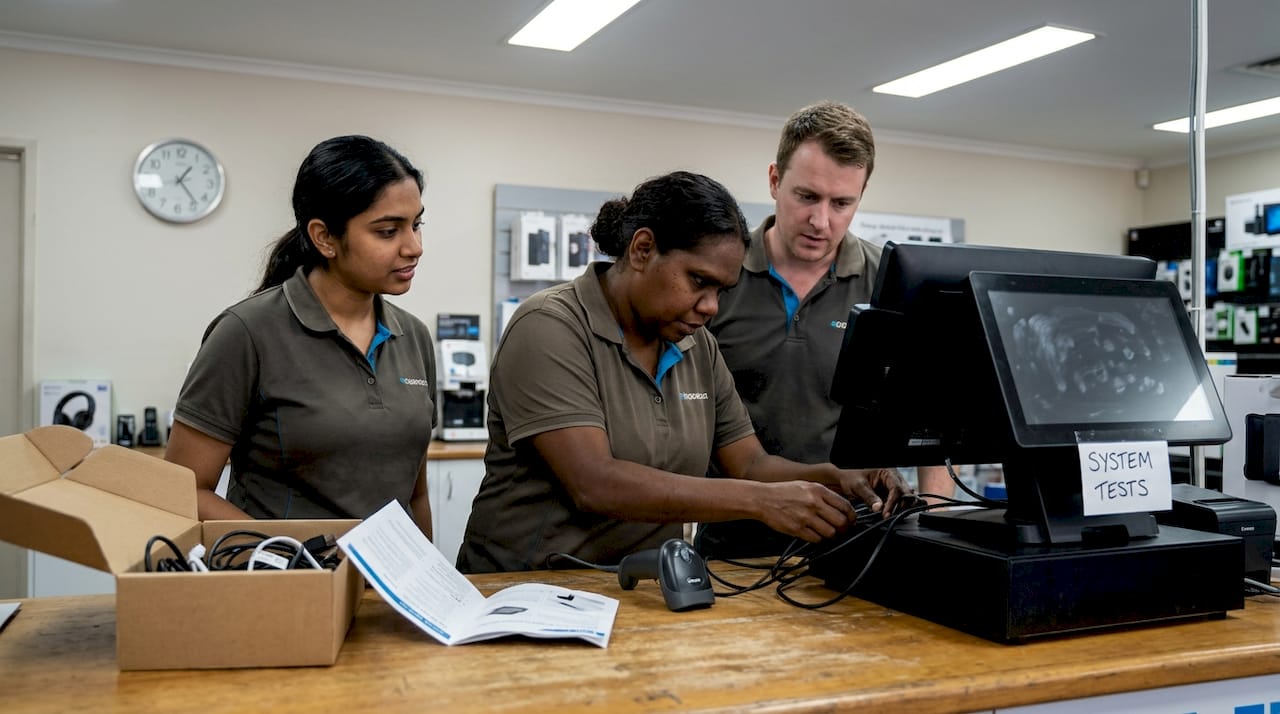
The numbers back this up. Smart POS integrations cut staff training time by 32%, reduce transaction errors by 30%, and speed up checkout by 40%. Those are not marginal improvements. They compound over thousands of transactions every week.
A leading Australian supermarket chain that invested in digital integration recorded a $1.5 billion online sales uplift and 42% growth in app users. The lesson for smaller retailers is the same: connected systems outperform siloed ones every time.
Here is a practical integration rollout sequence:
- Accounting integration first: Connect your POS to Xero or MYOB before anything else. This eliminates manual data entry and gives you accurate financials from day one.
- Inventory management second: Real-time stock visibility prevents overselling online and embarrassing out-of-stock moments in-store.
- Loyalty programme third: Attach customer purchase history to every transaction. This data drives repeat visits and personalised offers.
- E-commerce sync last: Once the back-end is stable, connect your online store so inventory and pricing stay consistent across channels.
“The retailers seeing the strongest growth are those treating their POS as the central hub of a connected digital ecosystem, not just a payment tool.”
Pro Tip: Run a full integration test in a staging environment before go-live. Then schedule a review two weeks after launch to catch any data sync issues or workflow glitches that only appear under real trading conditions.
For broader digital transformation solutions that go beyond POS, or if you need Melbourne POS integrations support, the right partner makes this process significantly smoother.
Invest in ongoing training and regular audits
To lock in the gains from your new system, best practice means focusing on people and processes, not just the technology. Even the best POS system underperforms when staff do not know how to use it properly.
Thorough staff training and post-launch audits are critical for avoiding errors and maintaining operational efficiency over time. This is not a one-off exercise. It is an ongoing commitment.
Here is what a solid training and audit programme looks like:
- Pre-launch training: Cover hardware operation, software navigation, common troubleshooting steps, and end-of-day procedures before you go live.
- Role-specific sessions: Cashiers, supervisors, and managers need different training. Do not run one generic session and hope for the best.
- Updated manuals after upgrades: Every time your system receives a significant update, refresh your internal documentation and run a short refresher session.
- Bi-annual audits: Review error patterns in transaction logs, check user permission levels, identify missing integrations, and assess whether your current setup still fits your business needs.
- IT support bundle: Ensure your support agreement covers WiFi stability and fast-response troubleshooting. A slow network is often the hidden culprit behind POS performance issues.
If you are building out a team in New South Wales, Sydney POS team training resources can help you get staff up to speed quickly and consistently.
Use data and AI for smarter forecasting
Looking ahead, the most successful retailers are the ones putting their data to work. Your POS generates a goldmine of information every single day. The question is whether you are using it or ignoring it.
AI-powered forecasting dramatically reduces stockouts and waste in retail environments by predicting demand patterns with far greater accuracy than manual methods. Less stock sitting unsold. Fewer frustrated customers walking out empty-handed.
Here is how to start using data and AI effectively:
- Unified dashboards: Pull in-store and online sales data into a single view so you can spot trends across all channels without switching between systems.
- Demand forecasting: Use your POS sales history to predict which products will sell in the coming weeks. Most modern cloud POS platforms include basic forecasting tools built in.
- Customer segmentation: Identify your top 20% of customers by spend and tailor promotions specifically for them. Loyalty data from your POS makes this straightforward.
- Waste reduction: For retailers selling perishables, AI forecasting reduces over-ordering and the associated write-offs that quietly erode margins.
For retailers in the quick-service space, quick service retail solutions that incorporate data-driven ordering and forecasting can make a significant difference to daily operations and profitability.
Ready to upgrade your retail IT?
Auslanka Technologies works with Australian retailers every day to implement POS systems and digital solutions that actually deliver results. From cloud-based POS hardware to full digital transformation support, we offer zero monthly fees, 24/7 online support, and quick setup times designed around how Australian businesses operate.
Whether you are setting up your first POS terminal or overhauling an outdated system across multiple sites, our team can guide you through every step: needs assessment, system selection, integration, training, and ongoing support. We specialise in affordable, scalable solutions for retail and small to medium businesses across Australia. Visit Auslanka Technologies to explore our full range of POS and digital services and find the right fit for your business.
Frequently asked questions
What is the average POS installation time for a small retailer?
Most small retail POS installs take 5 to 10 days in Australia, covering hardware setup, software configuration, and initial staff orientation.
How much should I budget for my first year of POS costs?
Plan for $1,500 to $6,000 in your first year, which covers hardware, software, installation, and training for a small retail outlet.
Are cloud POS systems more cost-effective than traditional ones?
Yes. Cloud POS systems offer a 22% lower total cost of ownership compared to legacy systems, plus better scalability as your business grows.
What integrations matter most for Australian retail IT?
Accounting tools like Xero, loyalty and e-commerce integrations deliver the strongest combined impact on sales accuracy and operational efficiency.
How can AI improve retail business operations?
AI helps retailers accurately forecast demand, optimise stock levels, and reduce costly out-of-stock situations that drive customers to competitors.
Recommended
- Smart POS Systems: The Secret to Faster Service and Higher Profits – Auslanka Technologies
- How Smart POS Printing Improves Speed, Accuracy, and Profits – Auslanka Technologies
- How to Reduce Order Mistakes in Your Restaurant Using Simple POS Techniques – Auslanka Technologies
- How to Train Your Staff to Use a POS System in Under 20 Minutes – Auslanka Technologies




Leave a Reply