
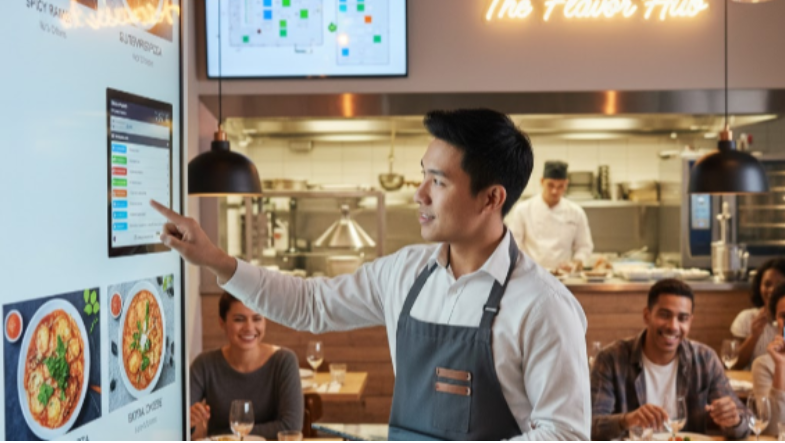
Running a restaurant is exciting—but it can also be stressful when order mistakes happen. A wrong dish, a missing item, or a mixed-up table number can disappoint customers, slow down service, and even hurt your reputation. The good news? With the right Point of Sale (POS) techniques, you can drastically reduce errors and keep your operations running smoothly.
Here are some simple POS strategies that can transform your restaurant’s accuracy and customer satisfaction.
1. Use Clear Digital Menu Displays
A modern POS system allows you to organize your menu with photos, categories, and clear item descriptions.
When staff can see exactly what they’re entering—complete with variations (mild/spicy, add-ons, size options)—it reduces the chances of wrong selections.
Tip: Keep your menu updated in the POS so staff always see the latest items and prices.
2. Enable Table & Seat Number Mapping
One of the most common errors in restaurants is mixing up table orders.
With POS table mapping, staff can tap on a visual map of your floor layout and assign each order to the correct table and seat.
This eliminates confusion, especially during busy hours.
3. Use Modifiers for Custom Requests
Customers love customization—but handwritten notes or verbal instructions can easily go wrong.
A POS system with modifiers allows staff to select:
- No onions
- Extra cheese
- Gluten-free
- Change side dish
- Add drink
This ensures every special request is recorded accurately and sent straight to the kitchen.
4. Send Orders Directly to the Kitchen (KDS)
Kitchen Display Systems (KDS) or kitchen printers sync directly with your POS.
Instead of passing handwritten tickets or calling out orders, one tap sends everything instantly to the kitchen.
This means:
- No missing orders
- No misheard dishes
- Faster workflow
It also helps chefs see order priority and reduce delays.
5. Train Staff Using POS Tutorials
Even the best systems are only as good as the people using them.
Spend a few minutes training your team:
- How to enter complex orders
- How to handle combos
- How to apply discounts
- How to void or edit mistakes
Proper training reduces manual errors and improves efficiency.
6. Use Automated Error Alerts
Advanced POS systems alert staff when something seems off. For example:
- A table has two desserts but no main dishes
- A staff member tries to close a bill without assigning items
- A duplicate item is added accidentally
These small alerts prevent big issues before they reach the kitchen.
7. Review Order History & Staff Performance
Your POS stores every order, change, and void.
Use this data to identify patterns:
- Which items are often entered incorrectly?
- Which staff members need more training?
- Are errors happening during certain hours?
These insights help reduce future mistakes.
8. Provide Customers a Digital Order Summary
A digital summary shown on the POS or sent via SMS/email allows customers to confirm their order.
This is especially helpful for:
- Takeaway orders
- Delivery requests
- Large group orders
When customers verify their order, mistakes drop significantly.
Final Thoughts
Reducing order mistakes doesn’t require expensive equipment or complicated processes. Small improvements in your POS usage can create big results:
✔ Faster service ✔ Happier customers ✔ Better communication between staff & kitchen ✔ Less food waste ✔ Higher profit
Whether you run a café, restaurant, food truck, or bar, using these simple POS techniques helps you deliver a smooth and error-free dining experience.




Leave a Reply