

Setting up a point of sale system shouldn’t feel like navigating a maze, yet many Australian retailers face confusion over hardware choices, compliance requirements, and integration headaches. A properly configured POS transforms checkout speed, inventory accuracy, and customer satisfaction while ensuring you meet GST obligations and local payment standards. This guide walks you through every practical step to implement an affordable, efficient POS tailored to Australian retail needs, from initial planning through staff training and troubleshooting.
Table of Contents
- Key takeaways
- Planning your retail POS system setup
- Selecting affordable hardware and software for Australian retail
- Step-by-step POS system installation and configuration
- Common challenges and troubleshooting tips for Australian retailers
- Enhance your retail business with reliable POS systems
- FAQ
Key Takeaways
| Point | Details |
|---|---|
| Planning and scoping | Start with a detailed requirements list, audit checkout flows and plan for growth to tailor the POS to Australian rules. |
| Australian compliance focus | Choose a POS that handles GST, supports EFTPOS integration and complies with Australian tax rules. |
| Affordable hardware and software | Costs vary by format from small carts to full multi terminal setups, guiding budgeting for hardware and software. |
| Cloud versus offline planning | Prioritise offline capable systems for outages and compare cloud based and offline options. |
| Staff training essential | Planning and training are critical to successful implementation, improving accuracy and speed and customer service. |
Planning your retail POS system setup
Before purchasing any equipment, assess exactly what your business requires. Identify the number of checkouts you need and essential features such as inventory tracking, multiple payment options, loyalty programmes, and reporting dashboards. A coffee cart operates differently from a boutique clothing store, so tailor your feature list accordingly.
Ensure your chosen POS provider complies with Australian standards. Your system must handle GST calculations and public holiday surcharges accurately, offer local customer support during Australian business hours, and integrate seamlessly with EFTPOS terminals. Compliance isn’t optional; errors in tax handling can trigger ATO audits and penalties.
Consider scalability if you plan to expand. Multi-location synchronisation becomes essential when opening a second shop, allowing real-time inventory updates and consolidated reporting across sites. Outline your budget early to match your retail scale and operational needs, factoring in hardware, software subscriptions, installation, and training costs.
Prepare a detailed list of hardware and software requirements before approaching vendors. This prevents impulse purchases and ensures you compare apples with apples when evaluating proposals. Research best POS systems in Australia to understand market options and pricing structures.
Pro Tip: Create a simple spreadsheet listing must-have features, nice-to-have features, and deal-breakers. Share this with vendors to receive tailored quotes that genuinely match your needs rather than generic packages.
Key planning steps include:
- Audit your current checkout process to identify bottlenecks and pain points
- List all product categories and inventory complexity levels
- Determine payment methods you’ll accept: card, cash, mobile wallets, buy now pay later
- Assess your internet reliability and need for offline transaction capability
- Plan for future growth: additional registers, online sales integration, franchise expansion
Selecting affordable hardware and software for Australian retail
Typical first-year costs for small Australian retail POS setups range from $1,500 to $3,000 AUD, including a tablet, barcode scanner, and card reader. Coffee carts or market stalls can start from $600 to $1,500, while full multi-terminal setups reach $2,000 to $6,000 excluding GST. These figures help you set realistic budgets based on your retail format.
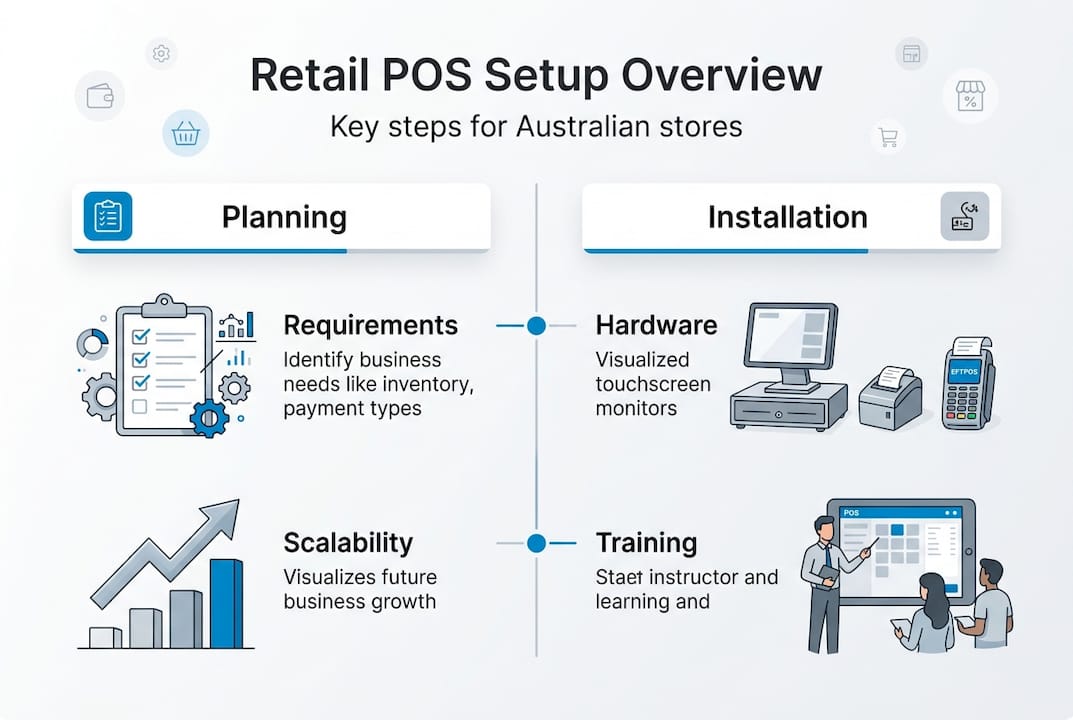
Compare different POS software platforms carefully. Shopify POS demonstrates 22% lower total cost of ownership and 21% lower training costs compared to traditional systems, with retail productivity increasing 26% since 2007. Lower training costs mean your staff become proficient faster, reducing errors and improving customer service from day one.
Match hardware to your business scale. A single-register boutique needs a tablet POS with a compact receipt printer and wireless scanner, while a busy supermarket requires multiple fixed terminals, conveyor scanners, and cash drawers. Don’t overspend on enterprise features you’ll never use, but don’t skimp on reliability either.
Weigh cloud-based systems against offline-capable options. Cloud POS offers automatic updates, remote access, and lower upfront costs, but internet outages halt transactions unless offline mode activates. For areas with unreliable connectivity, prioritise systems with robust offline transaction queuing that syncs automatically when connection returns.
Balance affordability with reliability and compliance features. The cheapest option often lacks Australian tax configuration, local support, or integration with popular accounting software like Xero or MYOB. Spending an extra $500 upfront can save thousands in accountant fees and compliance headaches.
Pro Tip: Request a trial period or demo with your actual products loaded. Test scanning barcodes, processing refunds, and generating end-of-day reports to ensure the system handles your workflow smoothly before committing.
| Hardware component | Budget option | Mid-range option | Premium option |
|---|---|---|---|
| Tablet/terminal | $300-$500 | $600-$900 | $1,200-$1,800 |
| Barcode scanner | $80-$150 | $200-$350 | $500-$800 |
| Receipt printer | $150-$250 | $300-$450 | $600-$900 |
| Cash drawer | $100-$180 | $220-$350 | $450-$650 |
| Card reader | $50-$100 | $150-$250 | $350-$500 |
Explore specialised barcode scanners solutions and POS hardware solutions designed for Australian retail environments. Local suppliers provide faster warranty service and understand regional requirements better than overseas vendors.
Review best POS systems in Australia to compare features, pricing models, and user reviews from similar retail businesses. Pay attention to monthly subscription fees, transaction percentages, and hidden costs like premium support or additional user licences.
Step-by-step POS system installation and configuration
Begin by installing the POS software on your tablet or terminal according to the vendor’s instructions. Connect all hardware devices including barcode scanners, receipt printers, cash drawers, and card readers, ensuring cables are secure and devices power on correctly. Test each component individually before proceeding.
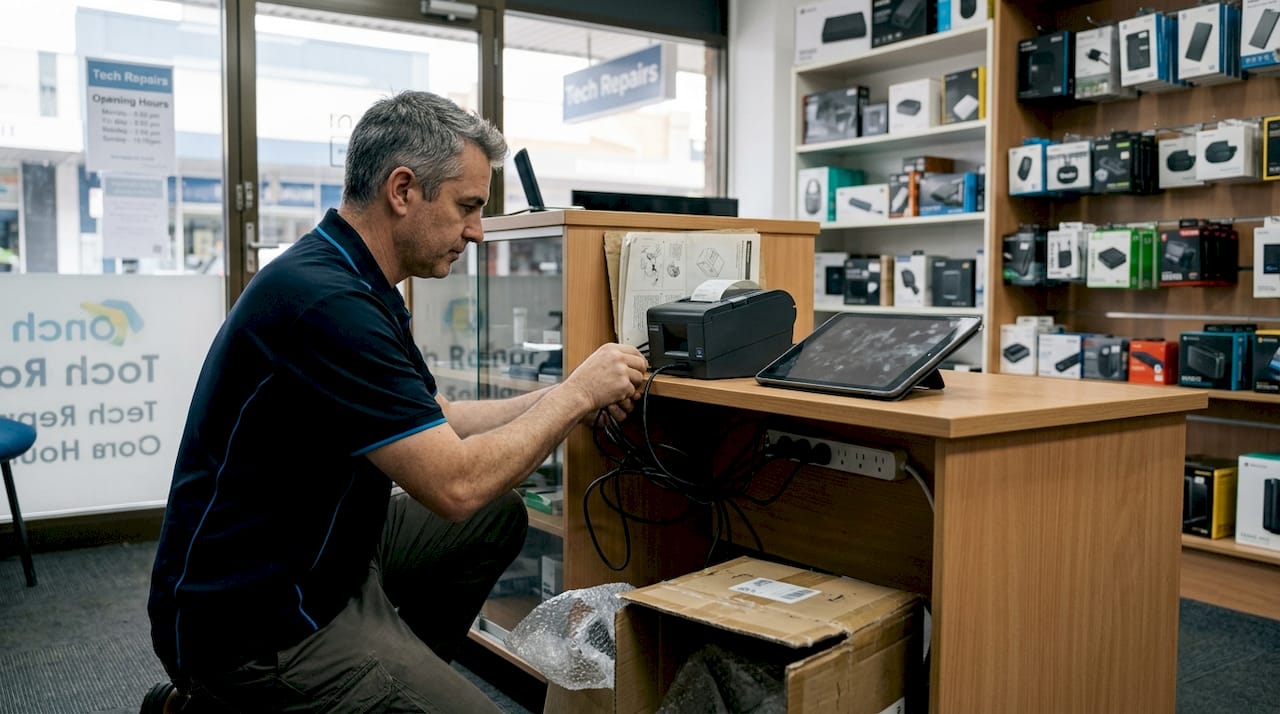
Configure payment processing next, including GST rates, EFTPOS integration, and accepted payment methods. Australian GST currently sits at 10%, but your POS must handle GST-free items like fresh food and apply correct rates automatically. Set up public holiday surcharges if your business charges them, ensuring transparency on receipts as required by law.
Import your inventory and product data carefully. Enter SKUs, descriptions, prices including GST, supplier information, and stock levels accurately. Mistakes here cascade through every transaction, so double-check high-volume items and use barcode verification to confirm products scan correctly. Many systems allow CSV imports from existing spreadsheets, saving hours of manual entry.
Test all transaction types thoroughly before going live. Process test sales, refunds, exchanges, discounts, and split payments to verify the system calculates totals correctly and prints proper receipts. Run end-of-day reports and cash reconciliation to ensure your accounting integration works smoothly.
Train staff with clear instructions and quick reference guides. Effective training staff on POS use reduces errors and speeds adoption significantly. Focus training on common tasks: processing sales, handling refunds, checking stock, and troubleshooting basic issues like paper jams.
Pro Tip: Create a one-page cheat sheet with screenshots for the five most common tasks. Laminate it and keep copies at each register for quick reference during busy periods.
Follow this installation sequence:
- Unbox and inspect all hardware for damage or missing components
- Install POS software and create admin accounts with strong passwords
- Connect and configure each hardware device, updating firmware if needed
- Set up payment processing, tax rates, and receipt customisation
- Import or manually enter your complete product catalogue
- Configure user permissions and staff access levels
- Test every transaction type and hardware function thoroughly
- Train all staff members and document common troubleshooting steps
- Prepare backup procedures and enable offline transaction modes
- Schedule a soft launch day to identify issues before full rollout
Prepare backups and enable offline transaction modes to protect against internet outages. Configure your system to store transactions locally when connectivity drops, automatically syncing when connection returns. This prevents lost sales and frustrated customers during network problems.
Key configuration checklist:
- GST rates configured correctly for all product categories
- EFTPOS terminal linked and processing test transactions successfully
- Receipt printer producing clear, compliant receipts with ABN and GST details
- Inventory counts matching physical stock for accuracy
- User permissions restricting sensitive functions like refunds and discounts
- Backup schedule automated to external storage or cloud
- Offline mode tested and confirmed working
Common challenges and troubleshooting tips for Australian retailers
Power outages pose a serious risk to POS data integrity. Install uninterruptible power supplies (UPS) for each terminal to prevent data loss during surges or blackouts. A quality UPS costs $150 to $400 but protects thousands of dollars in hardware and prevents transaction corruption that creates accounting nightmares.
Ensure your POS system supports offline transactions to maintain sales when internet connectivity drops. Systems without offline capability force you to turn away customers or revert to manual receipts, losing sales data and creating reconciliation headaches. Test offline mode regularly to confirm it activates automatically.
Verify GST and public holiday surcharge compliance in your POS configuration to avoid ATO issues. Incorrect tax calculations can trigger audits, penalties, and customer complaints. Review tax settings quarterly and after any software updates to ensure accuracy remains intact.
Integrate your POS with accounting software and EFTPOS systems carefully. Poor integration causes duplicate entries, missing transactions, and reconciliation failures that waste hours of administrative time. Test synchronisation thoroughly, especially for multi-location operations where inventory and sales data must flow seamlessly between sites.
Watch for software downtimes and service disruptions. Cloud systems occasionally experience outages; Tyro and similar providers have reported downtime affecting thousands of retailers simultaneously. Maintain contingency plans including manual payment processing procedures and alternative payment acceptance methods.
Pro Tip: Keep a simple manual backup system ready: receipt books, calculator, and card imprinter. While rarely needed, having these available prevents complete sales stoppage during major technical failures.
“Common mistakes include neglecting UPS protection, omitting offline mode, poor system integration, GST handling errors, and multi-location synchronisation failures. Each creates operational disruption and potential compliance issues.”
Frequent troubleshooting scenarios:
- Receipt printer jamming: Check paper alignment, clean print head monthly, use quality thermal paper
- Barcode scanner not reading: Verify scanner compatibility with barcode types, clean lens, check USB connection
- Card reader declining transactions: Confirm EFTPOS terminal connectivity, check for software updates, verify merchant account status
- Inventory discrepancies: Conduct regular stock takes, investigate high-shrinkage items, review staff discount usage
- Slow system performance: Clear transaction history archives, restart devices weekly, check for background updates
- Synchronisation failures: Verify internet stability, check API connection settings, contact vendor support promptly
Consult best POS systems in Australia for troubleshooting resources and user communities. Many issues have simple solutions documented in forums or knowledge bases, saving expensive support calls.
Enhance your retail business with reliable POS systems
Navigating POS setup becomes simpler with expert guidance tailored to Australian retail requirements. Auslanka Technologies offers comprehensive POS systems for retail and restaurants designed specifically for local compliance and operational efficiency. Their solutions combine quality hardware with intuitive software, eliminating the guesswork from implementation.
Comprehensive packages from Auslanka Technologies simplify your entire POS journey, from initial consultation through installation and ongoing support. Explore their range of POS hardware solutions matched to various retail formats and budgets, ensuring you invest in equipment that genuinely serves your business needs. Professional implementation support means your system launches smoothly, staff receive proper training, and technical issues resolve quickly. Review flexible POS system pricing options designed for Australian small and medium retailers seeking reliable, affordable technology that grows with their business.
FAQ
What is the typical timeline for setting up a retail POS system?
Single-register setups generally take 5 to 10 business days when your stock data is ready, covering hardware delivery, software configuration, and basic staff training. Multi-register or larger implementations can extend to 2 to 4 weeks, particularly when integrating with existing accounting systems or configuring complex inventory structures. Using streamlined platforms reduces implementation time by approximately 20%, allowing faster launch and quicker return on investment.
How do I choose the right POS hardware for my small retail store?
Consider devices matching your sales volume and product types, such as tablets with barcode scanners and receipt printers for efficiency and affordability. Prioritise Australia-compliant hardware with local warranty support and service availability, avoiding imported equipment that may lack proper tax configuration or face lengthy repair delays. Evaluate barcode scanners solutions designed for retail environments, ensuring compatibility with your product packaging and labelling. Test hardware with your actual products before purchasing to confirm scanning accuracy and workflow efficiency.
What are common mistakes to avoid when setting up a POS system?
Neglecting offline mode risks sales loss during internet outages, forcing you to turn away customers or lose transaction data. Failing to integrate POS with accounting software or EFTPOS terminals creates duplicate data entry, reconciliation errors, and wasted administrative time. Omitting power surge protection leaves hardware vulnerable to damage and data corruption. Incorrect GST configuration leads to compliance issues and potential ATO penalties. Multi-location retailers often underestimate synchronisation complexity, causing inventory discrepancies between sites.
Can a cloud-based POS system handle Australian retail regulations effectively?
Cloud POS platforms handle GST calculations and public holiday surcharges effectively when configured correctly, but may suffer occasional downtime affecting transaction processing. Offline mode backup becomes essential for business continuity during connectivity issues or service outages. Local Australian POS providers typically offer better compliance configuration and faster support response compared to international platforms unfamiliar with regional requirements. Evaluate leading cloud POS systems with proven track records serving Australian retailers and strong local customer support teams.




Leave a Reply