
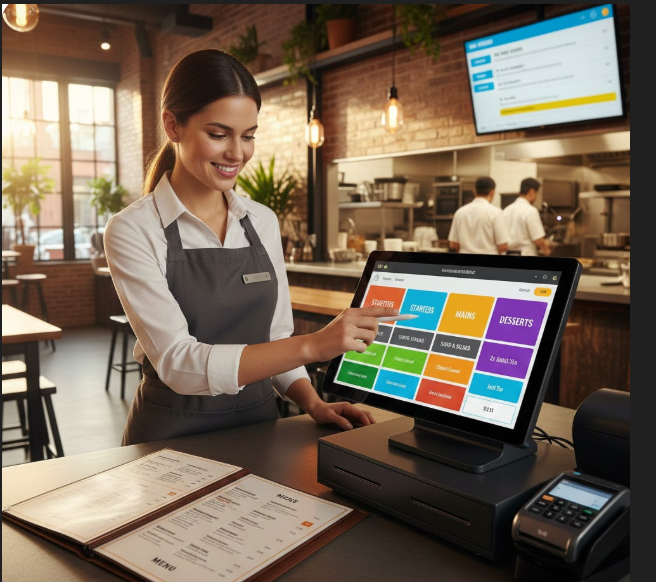
A well-designed restaurant menu is more than just a list of food items. It is a powerful tool that controls order speed, accuracy, kitchen workflow, and customer satisfaction. Poorly organised menus slow down staff, confuse customers, and increase mistakes in the kitchen. A smartly structured menu makes ordering faster, reduces stress on staff, and improves the overall dining experience.
This guide explains exactly how to set up a restaurant menu for fast ordering and fewer mistakes, whether you run a café, takeaway shop, or full-service restaurant.
Why Menu Structure Matters
Many restaurant owners focus only on how their menu looks on paper. But operationally, a menu should help your staff take orders quickly and your kitchen prepare food accurately.
A well-structured menu helps you:
- Reduce wrong orders
- Improve speed of service
- Decrease customer complaints
- Make staff training easier
- Increase daily revenue
Good menus support both customers and staff.
1. Organise Your Menu Into Clear Categories
The first step to fast ordering is creating simple, logical menu categories. When items are grouped correctly, staff can find them quickly on the POS screen, and customers understand their options easily.
Examples of good categories:
- Starters / Appetisers
- Burgers
- Pizza
- Rice & Noodles
- Mains
- Desserts
- Drinks
- Combos / Meals
Avoid too many categories or confusing names. Keep it clean and intuitive.
2. Use Simple and Clear Item Names
Complicated food names slow down ordering and increase errors. Your menu item names should be:
✔ Short ✔ Easy to read ✔ Easy to pronounce ✔ Clear for kitchen staff
Instead of:
- “Chef’s Signature Artisan Flame-Grilled Beef Creation with Special Sauce”
Use:
- “Classic Beef Burger”
Clear item names help both staff and kitchen teams perform better.
3. Standardise Sizes and Options
One of the biggest causes of kitchen mistakes is unclear sizes and options.
Always standardise:
- Small / Medium / Large
- Mild / Medium / Spicy
- Add-ons (extra cheese, extra chicken, sauce options)
When sizes and options are consistent across the menu, staff don’t have to guess, and the kitchen receives clear, accurate information.
4. Use Smart Menu Layout in Your POS
Your printed menu and your POS menu should match each other. The POS should be designed for speed, not beauty.
A POS menu should have:
- Large, clearly labelled buttons
- Logical groupings
- Colour-coded categories
- One-tap add-ons
- Preset combos
This allows staff to take orders quickly, especially during rush hours.
5. Use Modifiers and Add-On Buttons Correctly
Modifiers are buttons like:
- No onions
- Extra cheese
- Well done
- Gluten free
- Spicy
- No sugar
- Dairy free
These should be pre-built in the POS so staff don’t have to type notes manually. Manual typing increases mistakes and slows down service.
6. Highlight Popular & High-Profit Items
To speed up decisions and boost sales, position your best items strategically.
Good tactics include:
- Featured sections
- Popular tags
- Combo meal highlights
- Chef’s specials
The easier it is to choose, the faster the order is placed.
7. Avoid Menu Overcrowding
Too many items create confusion for both staff and customers.
If your menu is too long:
- Orders take longer
- Staff get confused
- Kitchen workload becomes chaotic
- More mistakes happen
Simplify by:
- Removing low-selling items
- Creating combo meals
- Rotating seasonal items
A clean menu increases speed and accuracy.
8. Test Your Menu with Your Staff
Your staff use the menu every day. They are the best people to test it.
Ask them:
- Which items are confusing?
- Which sections are slow to navigate?
- Where do mistakes usually happen?
- What takes longest to explain?
Use their feedback to continuously improve the menu layout.
9. Use Kitchen Printing or KDS Optimisation
Your menu setup should match your kitchen workflow. If your kitchen is organised by stations (grill, fryer, pizza, barista), your menu should support that routing.
For example:
- Burgers print to Grill station
- Chips print to Fryer station
- Coffee prints to Barista
This reduces kitchen confusion and speeds up food preparation.
10. Review and Update Your Menu Regularly
Your menu should not stay the same forever. Review it monthly or quarterly.
Check:
- Which items sell the most
- Which items cause the most errors
- Which items slow down service
- Which items have low profit margins
Data from your POS reports can guide these decisions.
Final Thoughts
A restaurant menu is not just a marketing tool — it is a powerful operational system. When designed properly, it helps your staff work faster, your kitchen perform better, and your customers stay happier.
By organising categories, simplifying item names, standardising options, optimising your POS menu, and training staff properly, you can dramatically reduce order mistakes and improve service speed.
Fast ordering + fewer mistakes = higher profits and happier customers.




Leave a Reply