
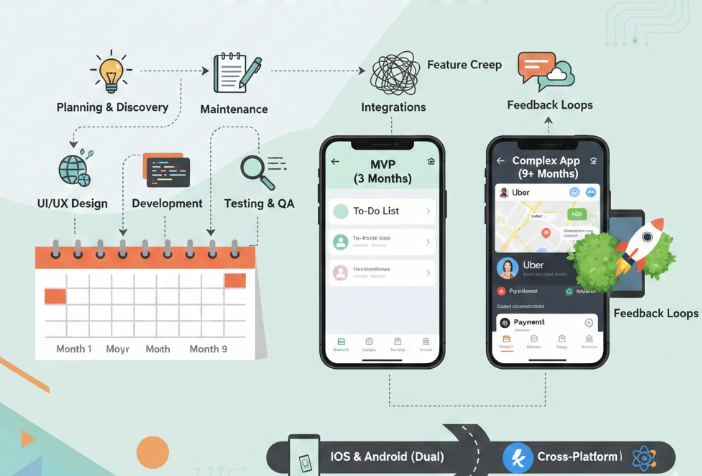
One of the most common questions business owners ask is:
“How long will it take to build my mobile app?”
The answer depends on the app’s complexity, features, and decision-making speed. While some apps can be built in weeks, others may take several months. This article breaks down the mobile app development timeline step by step, so you know exactly what to expect.
Quick Overview: Typical App Timelines
| App Type | Estimated Time |
|---|---|
| Basic app | 4–8 weeks |
| Medium complexity app | 8–16 weeks |
| Advanced app | 4–6 months |
| Enterprise app | 6+ months |
Let’s explore what happens during each phase.
Phase 1: Idea & Planning (1–2 Weeks)
This is where everything begins.
What happens:
- Define the app goal
- Identify target users
- List key features
- Decide platform (iOS, Android, or both)
- Choose development approach (native or hybrid)
Why this matters:
Poor planning leads to delays, higher costs, and feature confusion later.
💡 Tip: Clear requirements = faster development.
Phase 2: UI/UX Design (2–4 Weeks)
This phase focuses on how the app looks and feels.
What happens:
- Wireframes created
- Screen designs prepared
- Navigation flow finalized
- Brand colors and styles applied
Time impact:
- Simple design: ~2 weeks
- Custom or complex design: up to 4 weeks
💡 Tip: Approving designs quickly avoids timeline delays.
Phase 3: App Development (4–16 Weeks)
This is the longest phase.
Development includes:
- Front-end development (what users see)
- Back-end development (servers, database)
- Login & authentication
- Payment integration
- Push notifications
- Admin panel setup
Timeline depends on:
- Number of features
- Third-party integrations
- Platform count (Android only vs both)
- Custom logic
💡 Example:
- Simple ordering app: ~6 weeks
- Marketplace or booking app: ~12–16 weeks
Phase 4: Testing & Quality Assurance (1–3 Weeks)
Testing ensures the app works correctly.
What’s tested:
- Performance
- Security
- Bugs and crashes
- Payment flows
- Device compatibility
Why testing matters:
Skipping testing leads to negative reviews and customer complaints.
💡 Tip: Real-device testing saves time after launch.
Phase 5: App Store Submission (1–2 Weeks)
Once testing is complete, the app is submitted to app stores.
Approval timelines:
- Google Play Store: 1–3 days
- Apple App Store: 3–7 days
Delays can happen if:
- Guidelines are not followed
- Screenshots are incorrect
- App description needs updates
Phase 6: Launch & Initial Support (1–2 Weeks)
After approval, the app goes live.
Post-launch activities:
- Monitor crashes
- Fix early bugs
- Collect user feedback
- Minor improvements
💡 Tip: Most apps need small fixes after real users start using them.
Factors That Can Delay App Development
Common reasons projects take longer:
- Unclear requirements
- Frequent feature changes
- Slow client feedback
- Late content delivery
- Third-party API delays
- App store rejections
How to Build an App Faster (Without Sacrificing Quality)
✔ Start with MVP features
✔ Approve designs quickly
✔ Use hybrid development
✔ Choose experienced developers
✔ Avoid last-minute changes
✔ Plan content early
Real-World Example Timelines
Restaurant Ordering App:
- Planning: 1 week
- Design: 2 weeks
- Development: 6 weeks
- Testing & launch: 2 weeks
Total: ~11 weeks
Business Service App:
- Planning: 2 weeks
- Design: 3 weeks
- Development: 10 weeks
- Testing & launch: 3 weeks
Total: ~18 weeks
Final Thoughts
Building a mobile app is not an overnight process—but it doesn’t have to take forever either. With clear planning, the right development approach, and fast communication, most business apps can be launched within 2–4 months.
The key is choosing the right partner who understands your business goals and guides you through each step clearly.
A well-planned app saves time, money, and frustration—and delivers long-term value for your business.




Leave a Reply