
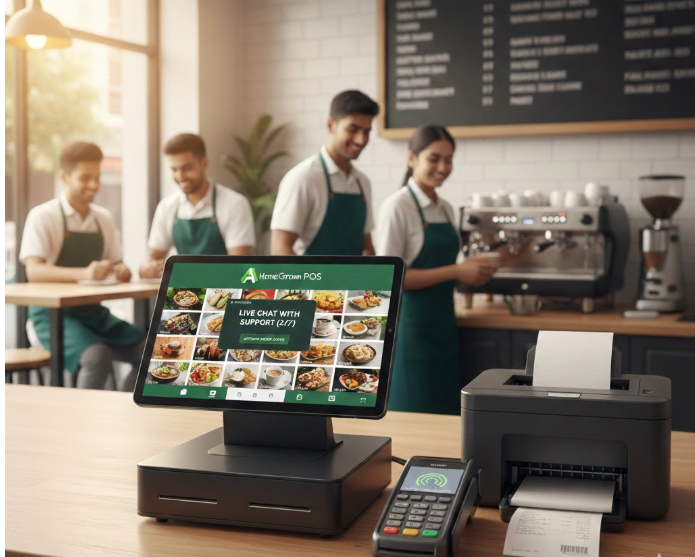

As a small restaurant or café owner in Australia, choosing the right Point of Sale (POS) system is crucial — it affects how smoothly your operations run, how well you manage orders, and how efficiently you can grow your business. Here are 10 excellent POS systems to consider in Australia, with a focus on affordability, usability, and local support.
1. POSApt
- Why it’s great: POSApt is an Australian-built POS solution tailored for hospitality (cafés, restaurants, bars). It’s highly localised, integrates with Xero, supports menu management, loyalty, vouchers, and more.
- Cost: No monthly software fee; instead, it charges a transaction fee (around 1.6%) for each sale.
- Best for: New or small hospitality venues wanting a low fixed cost and local support.
2. Square POS
- Why it’s great: Probably the most recognisable POS. Very easy to set up, works on iPad, Android, or Square’s own terminals.
- Cost: Free basic plan; you pay per transaction.
- Best for: Pop-up cafés, food trucks, small cafés, or market stalls—anywhere you need a plug-and-play system with no big commitment.

3. Abacus POS
- Why it’s great: Australian-built, purpose-made for hospitality. Comes in iPad and Android versions. Has strong features like table mapping, order coursing, kitchen display, loyalty, online ordering.
- Cost: iPad version: ~$69 + GST/month for single register; more for extra registers. Android version: very low cost; according to their press release, “zero subscription” option when used with Liven Payments.
- Best for: Cafés, restaurants, or quick-service venues that want full hospitality features but want to keep costs low.
4. AusLanka POS
- Why include it: Because it’s a “home-grown” solution you’re involved with, and it’s genuinely budget-friendly.
- Key Features: According to AusLanka’s own site: 24/7 online support, cloud-based, zero monthly fee option, offline mode (you can work even if the internet is down).
- Cost: It offers “zero monthly fee software” — meaning you may only pay for hardware or transaction fees (depending on their exact model).
- Best for: Small to medium hospitality businesses that want a reliable, local POS without recurring large monthly costs.
- 🌐 Website: www.auslankatechnologies.com.au

5. Lightspeed POS
- Why it’s great: Very powerful inventory tools, great analytics, and it works well for venues that sell both food and retail items.
- Cost: Their plans are more premium, starting at around AU$99 per month (depending on the plan) for many users.
- Best for: Restaurants, cafés, and multi-location businesses that need detailed stock control and strong reporting.
6. TouchBistro
- Why it’s great: Designed specifically for restaurants. Works on iPad, supports table management, bill-splitting, course ordering, kitchen display, and more.
- Cost: Around AU$ 89/month for a single terminal (varies by plan).
- Best for: Full-service restaurants, cafés, or pubs that need a mature, hospitality-specific POS.
7. H&L POS
- Why it’s great: A long-established POS provider in the Australian hospitality sector, particularly in pubs, clubs, and hotels.
- Cost: Usually in the higher range, particularly because of hardware, maintenance, and support.
- Best for: Larger venues or venues with existing H&L infrastructure that want proven, reliable systems.
8. OrderMate
- Why it’s great: Strong reporting, table-side ordering, multi-venue support. Well-known in restaurant circles. Cost: Not always transparent – depends on the plan, hardware, and number of terminals, plus possible add-ons.
- Best for: Restaurants that need a stable, well-known POS with good reporting and in-house tech capacity.
9. Revel Systems (now part of Shift4)
- Why it’s great: Hybrid cloud/offline POS; very scalable; good for both quick service and full-service restaurants.
- Cost: More expensive, especially for implementation. According to reviews, the total cost can be higher depending on terminals.
- Best for: Medium to large restaurants or chains that need robustness, detailed inventory, and strong reporting.
10. Epos Now
- Why it’s great: Affordable, flexible, works for hospitality and retail. According to ExpertMarket, great for managing inventory.
- Cost: For example, a basic hardware + software package might have a one-off cost plus monthly subscription (~AU$78/month as per older data).
- Best for: Small to mid-sized restaurants or cafés that want a simple, reliable cloud POS without super high monthly fees.
✅ How to Choose the Right POS for Your Restaurant
Here are some factors to keep in mind when selecting a POS:
- Budget: Do you want zero monthly software fees (but maybe pay via transaction fees), or you’re okay with a monthly subscription for more features?
- Offline Mode: If your internet is unstable, a POS with offline capability (like Abacus or AusLanka) is very valuable.
- Hardware: Do you already have iPads / tablets, printers, or do you need to buy everything new?
- Integration: Do you need POS to integrate with your accounting software (e.g. Xero), loyalty programs, or delivery platforms?
- Support: Local (Australian) support can make a big difference when things go wrong.
- Scalability: Are you planning to grow (multiple venues), or remain a single café/restaurant?
🔍 Final Recommendation
- For tight budgets: Consider POSApt, Zeller, or AusLanka — they have low or no subscription cost.
- For full-service restaurants, TouchBistro or Abacus gives you the features you need (table mapping, KDS, bill splitting).
- For growing or multi-site businesses, Revel, Lightspeed, or OrderMate offer strong scalability and reporting.




Leave a Reply