
How to Train Your Staff to Use a POS System in Under 20 Minutes
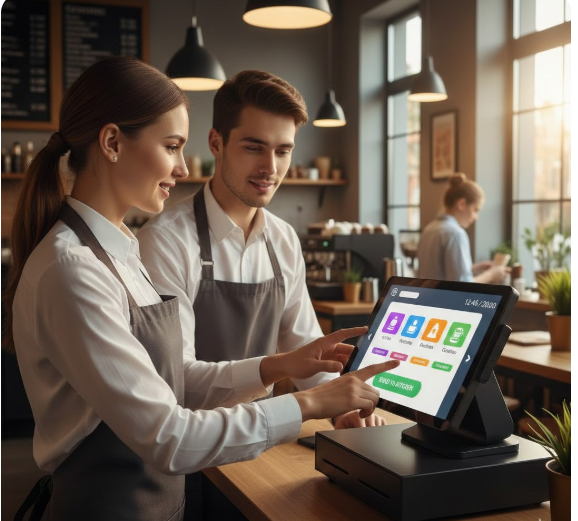
Training restaurant staff to use a POS system doesn’t have to take hours or require long, complicated sessions. With the right approach, you can teach new employees how to confidently handle your POS in under 20 minutes—without overwhelming them.
A fast, simple training process helps reduce order mistakes, speed up service, and keep operations running smoothly. Here’s a step-by-step guide that works for cafés, restaurants, bars, and food trucks.
1. Start With a Quick Overview (2 minutes)
Begin by explaining the purpose of the POS system:
- Entering orders
- Managing tables
- Sending items to the kitchen
- Handling payments
- Reducing manual mistakes
This helps new staff understand why the system matters before learning how to use it.
2. Demonstrate the Home Screen & Navigation (3 minutes)
Show them:
- Main menu
- Categories (food, beverages, combos)
- Table layout/map
- Buttons for dine-in, takeaway, and delivery
This gives them confidence before entering orders.
3. Teach How to Enter a Simple Order (5 minutes)
Walk them through the basics:
- Select table or order type
- Choose menu items
- Add quantities
- Add modifiers (no onions, extra cheese, spicy, add drink)
- Send order to kitchen
Let them practice immediately—hands-on training sticks faster.
4. Show How to Edit or Void Mistakes (3 minutes)
Even experienced staff make mistakes, so this step is crucial.
Teach them how to:
- Edit an item
- Remove an item
- Add a missed item
- Void orders (with permissions)
This prevents confusion during busy hours.
5. Teach Payment Processing (4 minutes)
Staff should learn how to:
- Split bills
- Apply discounts
- Accept cash, card, or QR payments
- Print or send digital receipts
Make them process a mock payment to build confidence.
6. Show How to Use Common Shortcuts (2 minutes)
Most modern POS systems include helpful shortcuts like:
- Repeat last order
- Quick combo buttons
- Favorite items
- Fast checkout
- Table transfer or merge options
This speeds up their workflow—especially during rush hours.
7. Give Them a 1-Minute Refresher Sheet
After the session, provide a quick cheat sheet:
✔ How to enter an order
✔ How to add modifiers
✔ How to send to kitchen
✔ How to edit orders
✔ How to handle payments
This boosts confidence and reduces questions.
Final Thoughts
Training staff to use a POS system doesn’t require long lessons or complicated manuals. A simple, structured 20-minute approach can help your team:
✔ Reduce mistakes
✔ Speed up service
✔ Improve customer satisfaction
✔ Stay confident during busy hours
With quick practice and clear guidance, even first-time users can master your POS system in minutes.



Leave a Reply